Unity Debug Console Features
Jahro is a Unity debugging platform that captures device logs, screenshots, Session Replay, and context with one tap.
One tap. Full session.
One link.
Snapshots bundle logs, device info, and a screenshot into a shareable URL. QA captures in one tap; devs open the link and have everything they need to reproduce.
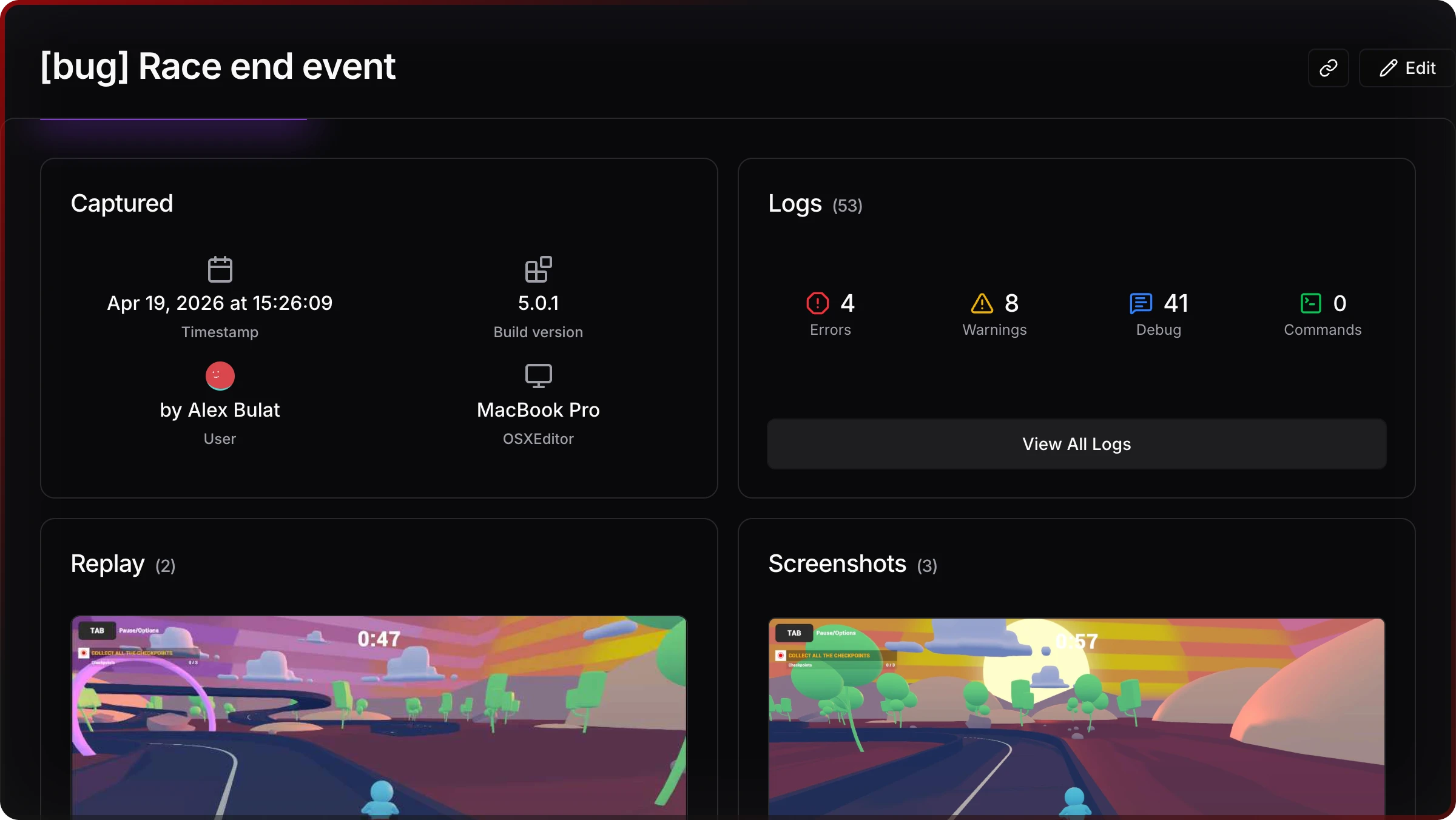
Snapshot overview
Logs, device info, build version, and screenshot — together in the web console
Session Replay.
See the bug, not just read about it.
Record gameplay and logs from inside the Unity build on Android or iOS. Play it back in the web console with logs.
Replay + logs, one timeline
See what happened right before an exception or a bug.
Tune at runtime.
Skip the rebuild.
Change values, trigger edge cases, and iterate without a new build. Commands and cheats run at runtime — visual and text UI with autocomplete, parameters, and favorites.
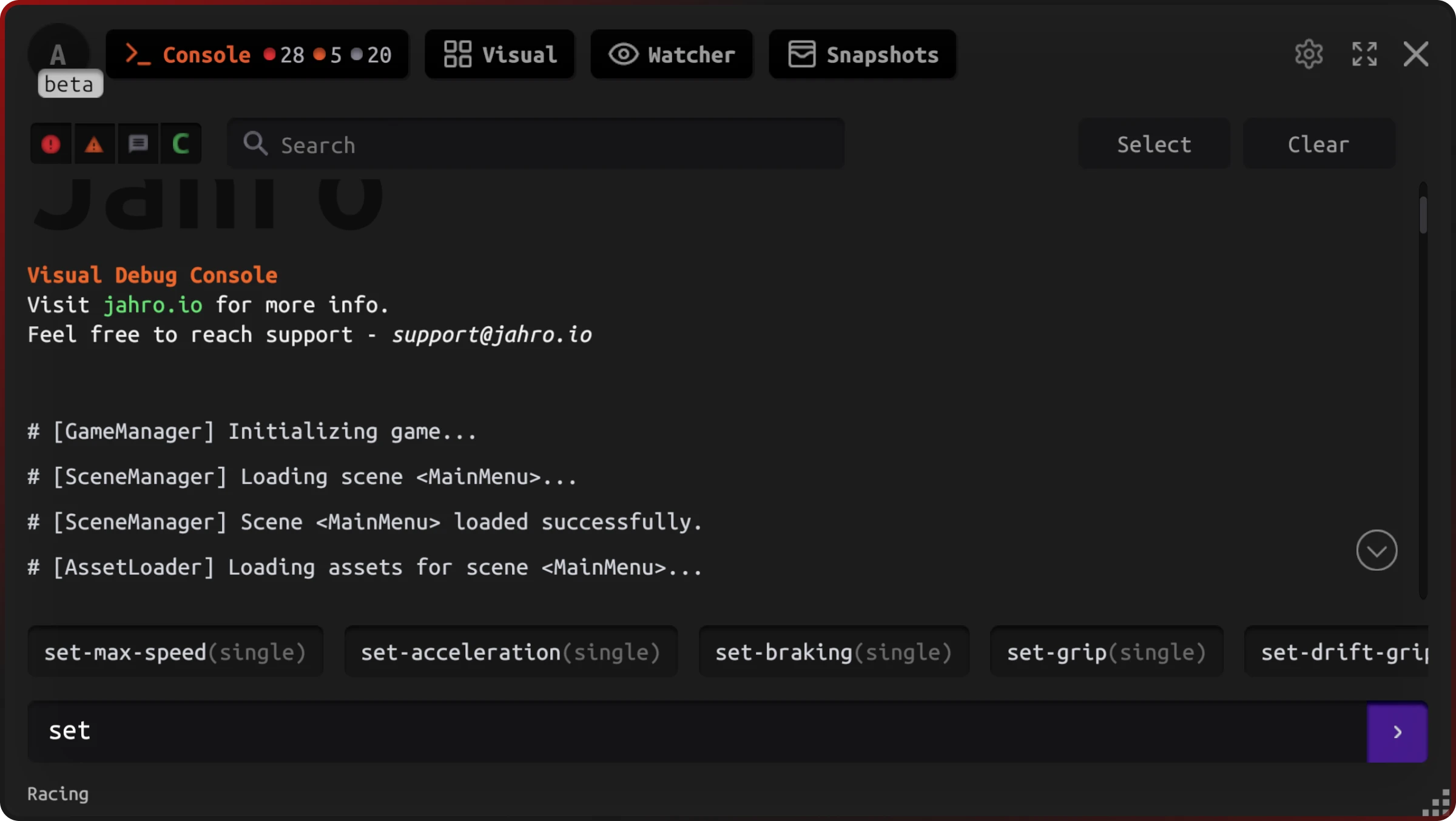
Runtime commands
Text mode with autocomplete — run and tune without leaving the game
One link. Full context.
Share a session URL and your whole team sees the same logs, screenshot, and device data. No attachments, no “which build was this?”
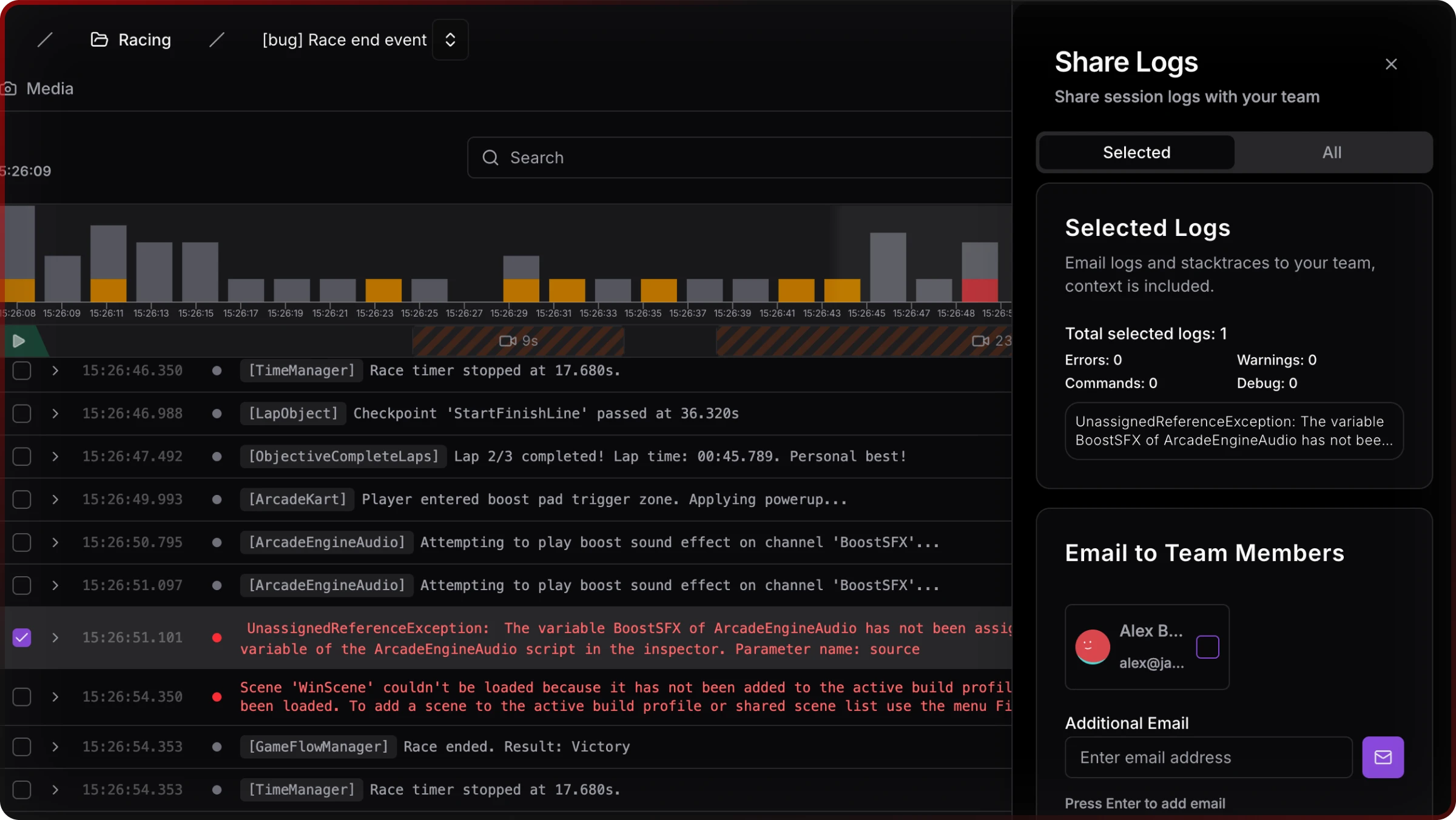
Shared session
QA links dev to the full context — no file sharing needed
One package. One in-game surface.
Logs, commands, watcher, snapshots, and Session Replay — all accessible from the same in-game console. One UPM install, one dashboard, no fragmented tools.
See the full debugging platform →Start capturing Unity bugs with one tap
Add via Unity Package Manager and start capturing complete debugging context in minutes. Works perfectly on Android, iOS.