Variable Watcher
Replace Debug.Log in Update
with a live dashboard
Stop spamming the console to check values every frame. Jahro Watcher gives you a real-time, UX-optimized dashboard right on the screen — organized, searchable, and zero-noise.
Real-time variable monitoring inside a Unity game — no console spam, no breakpoints.
From console noise to clean signal
Logging values in Update() floods your console and tanks performance. Watcher shows the same data as a clean, organized dashboard — updated only when you look.
// Every frame → console flood
void Update()
{
  Debug.Log("hp=" + health);
  Debug.Log("pos=" + transform.position);
  Debug.Log("vel=" + rb.velocity);
  Debug.Log("state=" + currentState);
}
// Declare once → live dashboard
[JahroWatch("Health", "Player")]
public float health = 100f;

[JahroWatch("Position", "Player")]
public Vector3 position
  => transform.position;

[JahroWatch("Velocity", "Player")]
public Vector3 velocity
  => rb.velocity;
A dashboard, not a log stream
Variables are displayed as interactive cards, organized into groups. Tap any card to inspect the full value, type, and description.
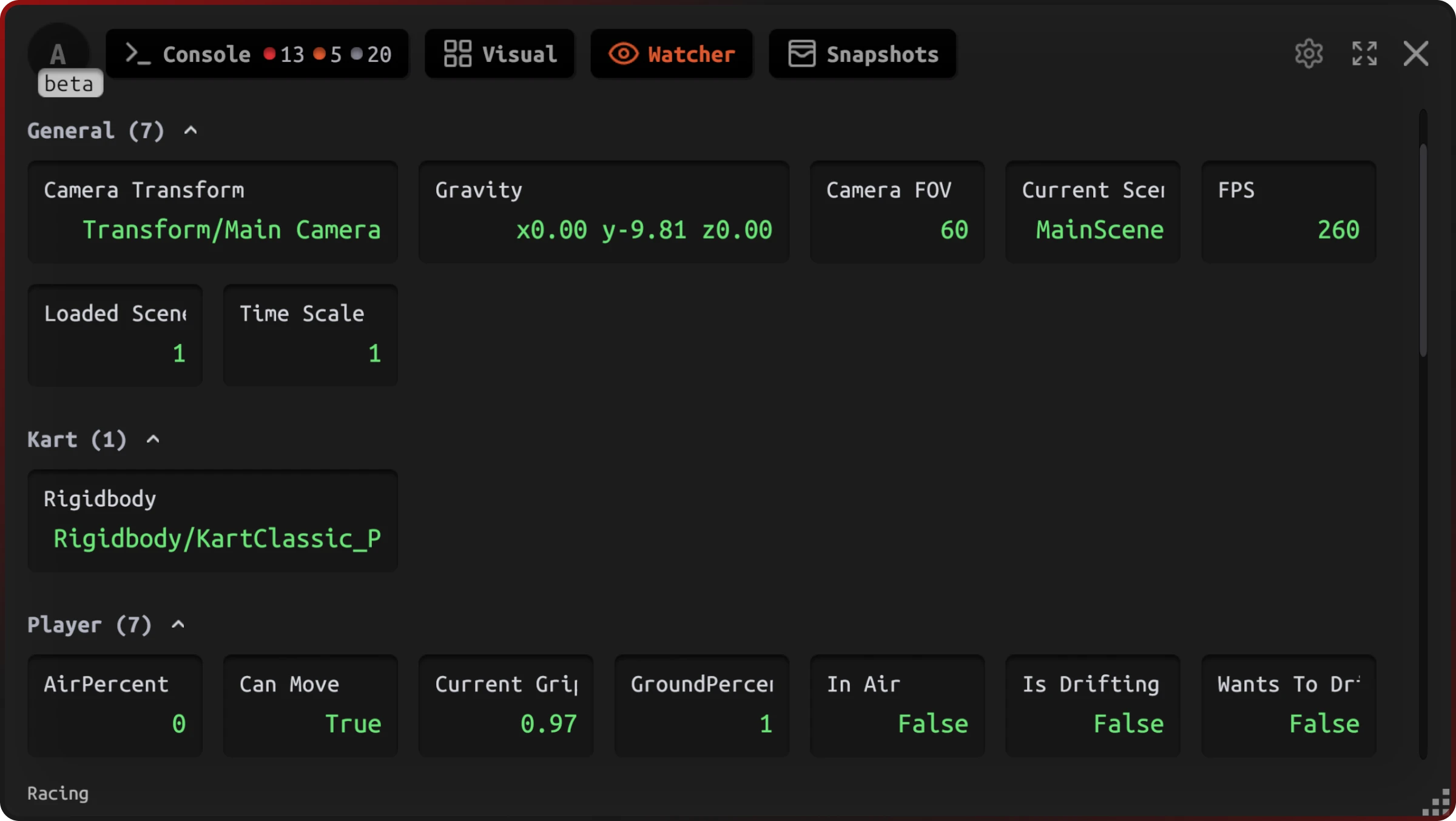
Live dashboard
Variables organized by groups with real-time values in green
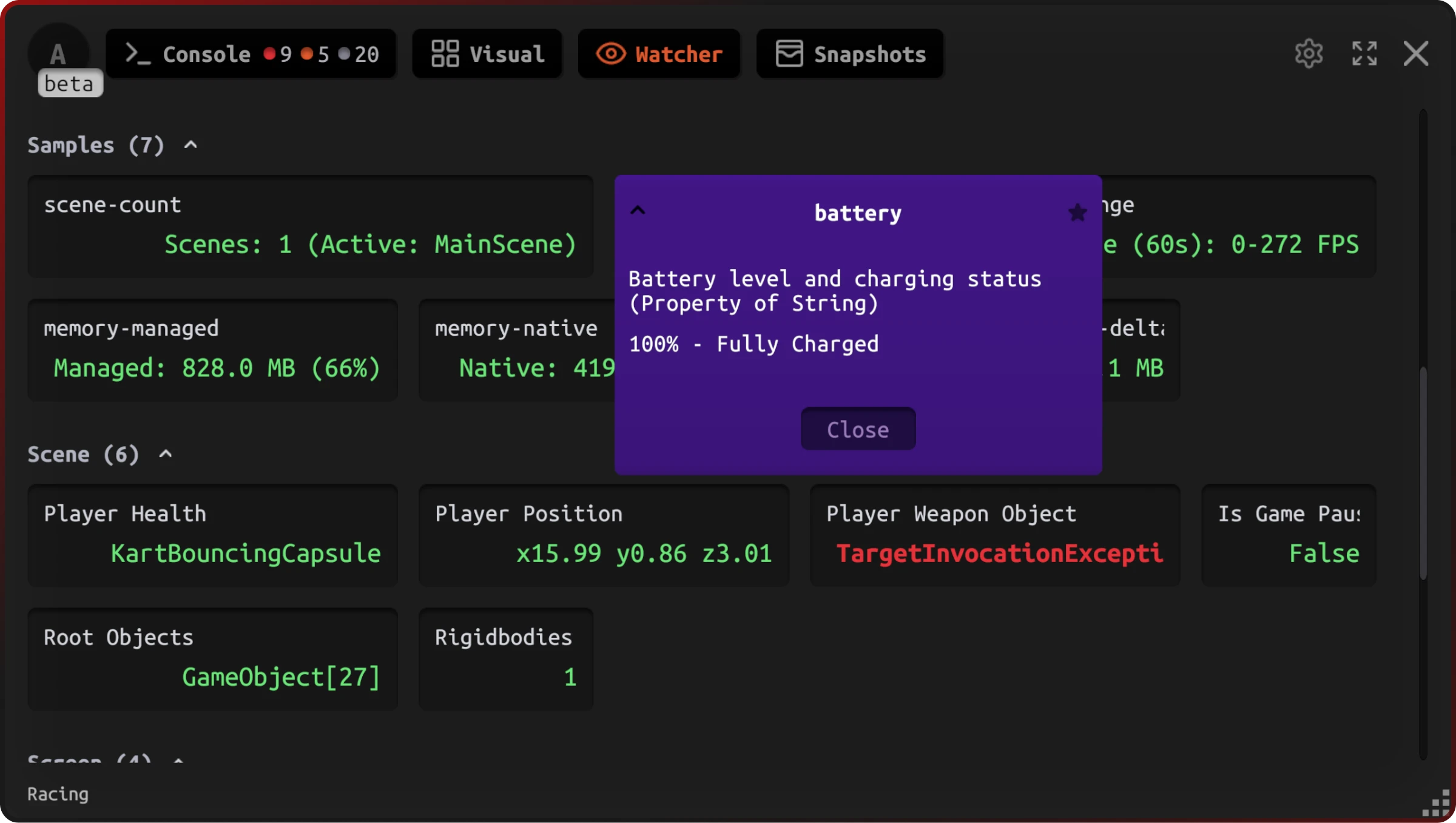
Detail inspection
Tap any card for full value, type info, and description
Built for game developers
Zero performance overhead
Values are only read when the Watcher UI is visible. No polling in the background.
Organized by groups
Variables are automatically sorted into collapsible groups with favorites at the top.
Smart type formatting
Vector3, Quaternion, Transform, Rigidbody — all formatted for quick readability.
Works on any device
Same dashboard on Android, iOS, and in the Unity Editor. Touch-friendly cards.
Up and running in 3 steps
Add the attribute
Mark any field or property with [JahroWatch] — one line, no extra code.
[JahroWatch("Health", "Player")]
public float health = 100f;Register the object
Call Jahro.RegisterObject(this) in OnEnable. Static watchers need no registration.
void OnEnable()
{
    Jahro.RegisterObject(this);
}See values live
Open the Watcher tab — your variables update in real time as the game runs.
One class. Full visibility.
Add [JahroWatch] to the fields you care about, register the object, and you're done. No boilerplate, no separate debug UI.
using JahroConsole;
using UnityEngine;

public class PlayerController : MonoBehaviour
{
    [JahroWatch("Health", "Player", "Current HP")]
    public float health = 100f;

    [JahroWatch("Position", "Player")]
    public Vector3 position => transform.position;

    [JahroWatch("Velocity", "Physics")]
    public Vector3 velocity
        => GetComponent<Rigidbody>().velocity;

    [JahroWatch("Is Grounded", "Physics")]
    public bool isGrounded
        => Physics.Raycast(transform.position,
            Vector3.down, 0.1f);

    void OnEnable() => Jahro.RegisterObject(this);
    void OnDisable() => Jahro.UnregisterObject(this);
}
Static fields (like FPS counters or global game state) don't even need RegisterObject — just add the attribute.
Smart formatting for Unity types
Watcher automatically formats values based on their type. No custom ToString() overrides needed.
Primitives
int, float, bool, string
Vectors
Vector2, Vector3, Quaternion
Components
Transform, Rigidbody, Camera
Collections
Arrays with length + contents
Part of the Jahro debugging platform
See your game state in real time
Add Jahro via Unity Package Manager. Watcher works on Android, iOS, and every Unity platform.