Session replay for Unity
Jahro Session Replay records from inside your Unity build and plays it back in the dashboard. Manual Replay, Autostart Replay, or Shadow Replay — pick the workflow that fits the bug.
Works with Android + iOS · No external recorder · EU hosting
Two steps
Bug captured. Bug reproduced.
From device capture to shareable link - the full context your team needs to stop guessing and start fixing.
Record
The build captures frames on the same clock as your logs. Async GPU readback at 5 fps.
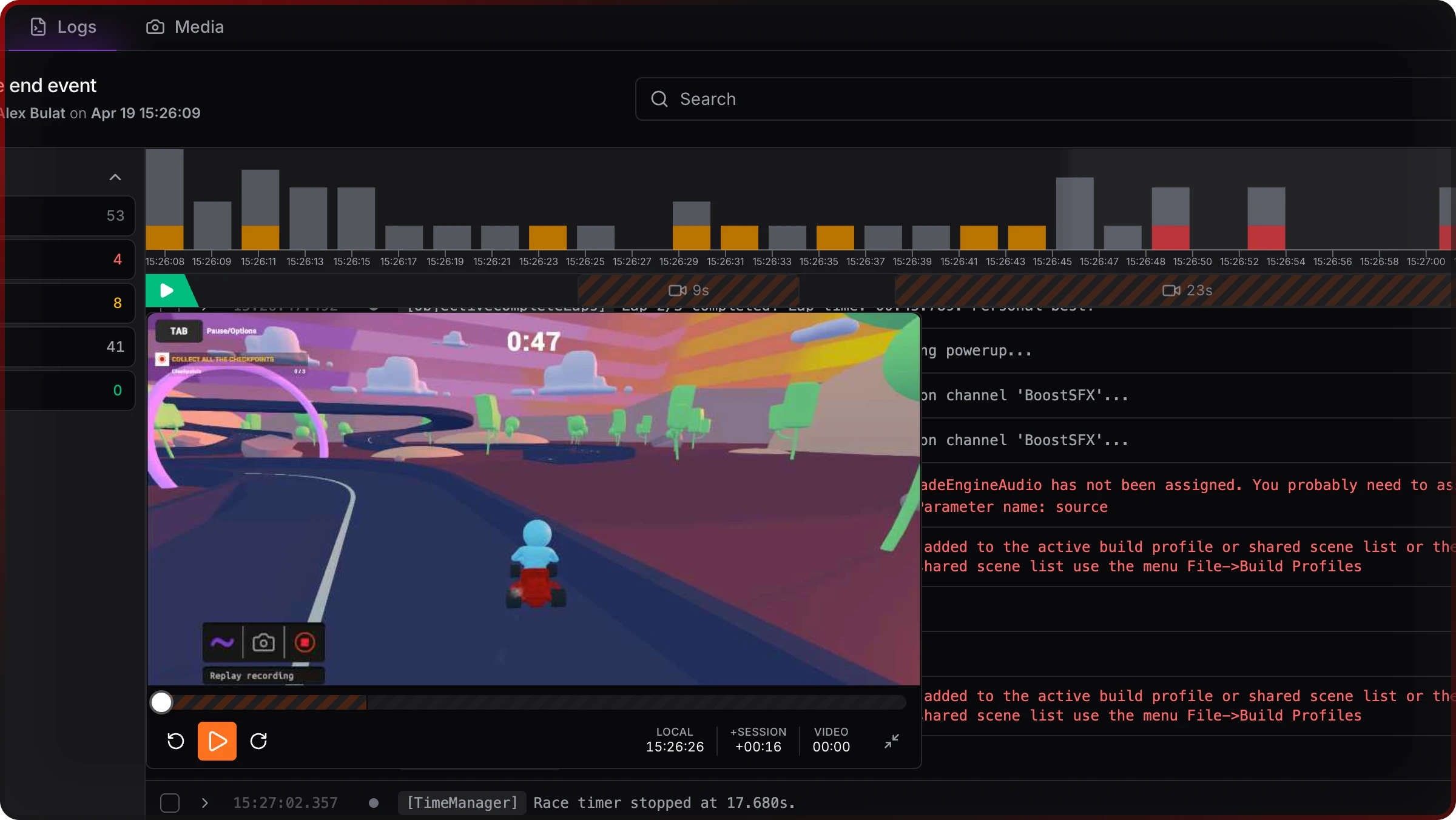
Watch
Open the link. See the video recording and all the logs from the session.
Three ways to record.
Pick the mode that fits the bug. Change it in the Settings View inside your build.
Manual Replay
Start recording when you're about to chase a specific repro. Stop when you have it.
Use when
You can trigger the bug on demand and want a clean, intentional capture.
Autostart Replay
Recording starts automatically when the application starts.
Use when
Long QA passes, producers on RC builds, or when “record by default” discipline is needed.
Shadow Replay
A rolling buffer runs in the background. Something weird happens - tap Commit. The last 2 minutes are saved.
Use when
Flaky bugs, surprise crashes, “once in twenty runs” - anything you didn't know you'd need to prove.
Session Replay and logs in the same page.
See what happened right before an exception or a bug.
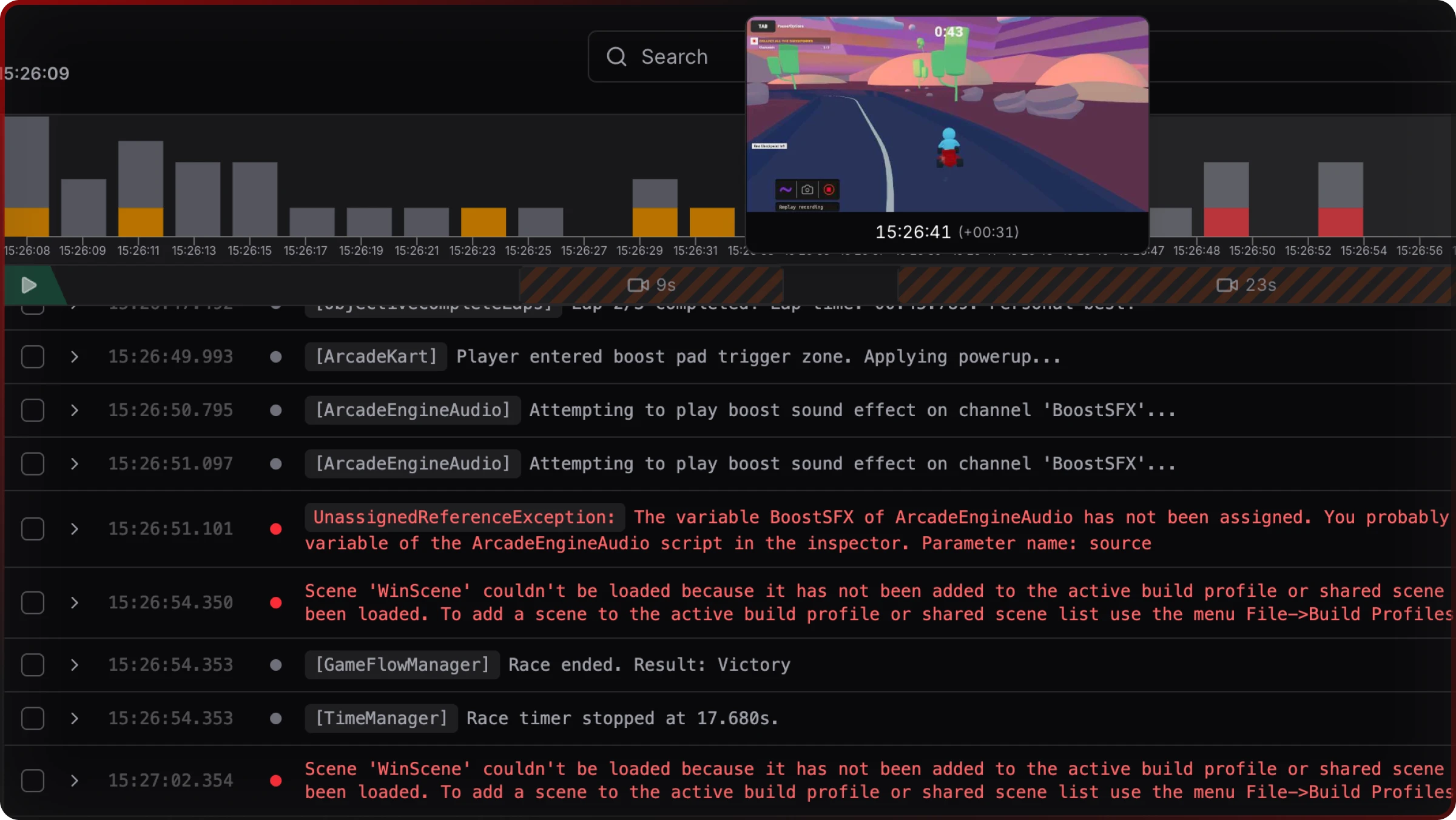
Hover the timeline strip to preview any frame without leaving the log view.
Video Timeline Strip
Filmstrip above the log feed, hover to preview a frame.
Replay Player
Floating player above the log panel. Stays useful when you need to see the whole video.
Multi-part playback
Multiple video parts (separate Manual segments or Shadow commits) appear as segments on one timeline.
Time displays
LOCAL, SESSION, and VIDEO visible together in the log UI for complete timeline context.
Built for the sessions that matter.
Flaky bugs
Happens once in twenty runs - Shadow Replay commits the last 2 minutes.
QA - Dev handoff
QA and dev in different communicate with a single link.
Client deliverables
Co-dev or outsource? Get full picture from a client session.
Visual regressions
A screenshot misses motion — replay shows the sequence before the layout blew up.
Session Replay is in beta — here's what to expect.
Defaults and limits might move as we see real usage. Below is the honest list so your team isn't surprised after integration.
- —Audio is not recorded. JPEG frame sequence only — no audio track.
- —Screen Space - Overlay UI constraint (Unity constraint). Screen Space Camera and World Space UI can be captured, but Overlay HUD might not appear in the replay.
- —Not for production. Built for dev, QA, and RC-style builds - not for monitoring live players at scale.
- —15-minute cumulative cap per snapshot session applies to committed replay duration only. The Shadow rolling buffer does not count toward the cap until you commit. When cumulative committed duration reaches 15 minutes, recording stops for that session. Start a new snapshot session (relaunch) to record more.
Full defaults and API: Replay docs (Unity) · Replay in the web console
Common questions before you start.
The repro is on video. Time to fix it.
Add Session Replay alongside the snapshot workflow your QA already uses - the next handoff arrives with footage, not guesses.