Unity mobile game QA workflow for studio teams
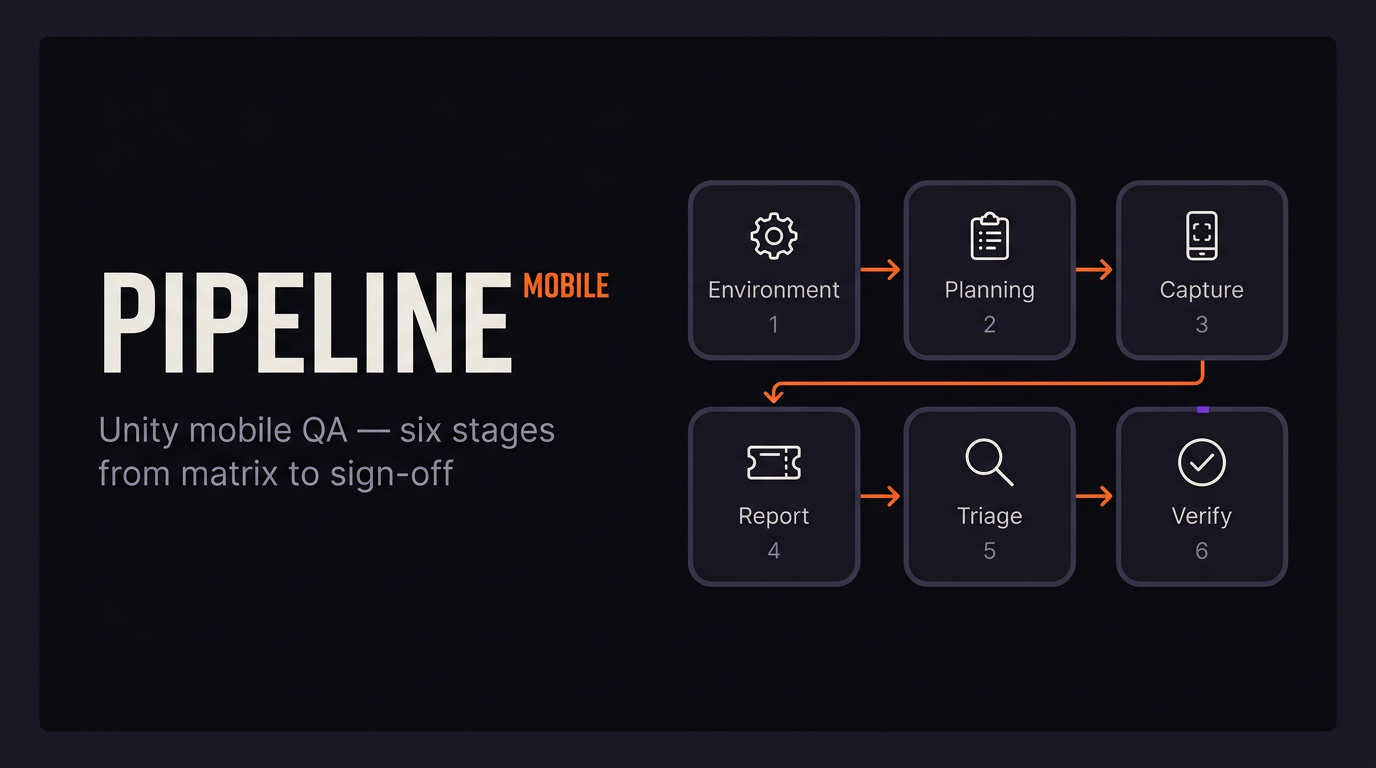
A Unity mobile QA workflow runs from “which devices do we support?” through to release sign-off: environments, planning, capture, reporting, triage, verification. On iOS and Android the usual failure mode is not missing unit tests — it is handoff. Testers hit bugs on hardware devs do not have, logs sit behind ADB or Xcode, and tickets ping-pong until someone eats the time cost. Below is a six-stage pipeline you can shrink or stretch by studio size, plus tables you can steal. Commercial tools are mentioned where they actually solve something, not as a shopping list.
When complexity goes up and schedules do not, something gives — often testing time, then you ship a patch you could have caught earlier. A written workflow that matches how your team works beats a longer checklist nobody opens. Tools matter only after you know which step is breaking.
A studio-grade mobile game QA process is mostly decisions and artifacts. If you do not know which link is weak, new software will not fix it.
How QA orgs differ by studio size
Indie and micro teams (roughly 1–15 people) often have no dedicated QA: everyone self-tests, or one person does all of it. Failbetter Games has been open about running a single QA specialist across the studio — not unusual at this scale. Spreadsheets, Notion, TestFlight, and informal device passes are normal. The risks are thin regression coverage and QA that only reacts after the fact; shift-left stays a nice idea until you hire for it.
Mid-size studios (about 15–100 people) usually run one to five internal QA people, sometimes with contractors before milestones. You see Jira, TestRail or similar for cases, Slack, TestFlight, Firebase App Distribution or Play internal tracks. Device labs might hold six to fifteen phones; some teams rent cloud farms when they need breadth. Shipping iOS and Android with regional builds is the usual headache.
Large studios (100+) split functional, compatibility, localization, and performance work. Frontier, for instance, talks publicly about specialized groups next to classic functional QA. Jira is the default at scale. Gameloft’s TestRail write-up is the familiar story: email and spreadsheets held until multiplayer alone meant 10,000+ cases, then the informal system broke and they centralized with heavy daily runs. Here you usually get a blended model: internal QA owns plans and tribal knowledge; partners handle volume, matrices, cert, localization.
Process weight should match how much you ship — but the mobile handoff problem starts as soon as more than one person touches the build, at any size.
Shift-left and the cost of late defects
Shift-left testing means you drag validation earlier: QA in design conversations, acceptance criteria before code lands, one shared tracker, enough logging that features are legible while they are built — not only after the merge. Vendors like Testlio and BrowserStack repeat the old cost-curve story for a reason: bugs get expensive when they surface late. The 1× / 10× / 100× / 1000× ladder below is a planning shorthand, not something to put on an invoice.
Shift-left is what keeps a Unity QA pipeline from turning into hotfixes and angry store reviews.
Stage 1 — Test environment setup
Stage 1 is where you stop arguing from memory. You write down which devices and OS versions you support, how builds get to testers, and what logging each Unity configuration carries (development vs release). You hook CI (Unity Cloud Build, GitHub Actions, GitLab CI, Jenkins) so build numbers are not ambiguous. You decide what hits Debug.Log and at what levels per build type.
On mobile, Android fragmentation means endless SKUs and OEM quirks; iOS is simpler but still spans years of chip performance. Write the matrix down — not “whatever happened to be on someone’s desk.” Most mobile testing write-ups agree on the same spine: minimum supported OS, current OS, one or two mid versions, and on Android at least one low-RAM phone.
| Tier | Example iOS | Example Android |
|---|---|---|
| Flagship | Recent iPhone | Recent Galaxy S / Pixel |
| Mid-range | iPhone 12 / 13 class | Galaxy A / Xiaomi mid tier |
| Low-end | iPhone SE class | 2 GB RAM, older OS |
| Minimum support | Oldest supported iOS you ship | Oldest supported Android you ship |
At this stage you wire native capture: Unity Android Logcat in the editor with a tethered device, Xcode or Console.app on iOS, production stacks through Firebase Crashlytics. Each tool does one job; none of them closes the gap between QA’s device and engineering’s desk by itself.
If the matrix is not documented, triage will keep reopening the same “works on my phone” fight.
Stage 2 — Test planning
Planning is what makes a release repeatable: scope, schedule, entry/exit criteria, and the device matrix from stage 1. Cases land in TestRail, Zephyr, a Jira plugin, or a spreadsheet until volume makes the spreadsheet lie (Gameloft’s TestRail story is the usual warning).
For mobile games, rough priority looks like: smoke on every build; functional and regression on real drops; exploratory time-boxed passes on new content; compatibility before milestones; performance and network conditions before ship, especially if you have multiplayer. Google’s old GDC material on mobile testing still reads well on one point: stack layers of coverage and treat crashes as a first-class signal.
Shift-left shows up when QA writes acceptance criteria with design and product before code exists. Each case should carry category, preconditions, steps, expected vs actual, severity, priority, platform, build, and area (level, scene, UI).
Planning is your definition of “done.” Execution cannot be sharper than the plan.
Stage 3 — Bug capture (the moment of discovery)
This stage is where mobile diverges from desktop. A tester on a phone needs the sequence leading to a defect — logs, warnings, errors — plus device context and often game state (flags, inventory, position). Without developer-centric tooling, Android wants ADB; iOS wants Xcode or a Mac with the device attached. Many QA staff never set up ADB; Mac availability for iOS logs is uneven on distributed teams. Logs from a session that already ended are often gone. Copy-paste from a console into a chat message loses lines and ordering.
Unity’s Debug.Log family hits the device console — fine if you can see it, useless if you cannot. Unity Android Logcat works when a device is plugged into the editor; it does not help a tester three time zones away with no cable.
ADB and Xcode are the right tools when the dev already uses platform tooling and has the phone. Crashlytics and friends are built for production stability, not tight repro loops on a pre-release build with noisy custom logging. In-game consoles and remote log viewers exist because the default pipeline assumes a developer machine — Bugfender, Jahro, and similar sit in that gap.
If you use Jahro for capture: the in-game overlay and streaming snapshots let testers read logs in-session and push a session artifact to the web without cables. Safe QA-facing commands can also cut the “we need another debug menu for this milestone” tax.
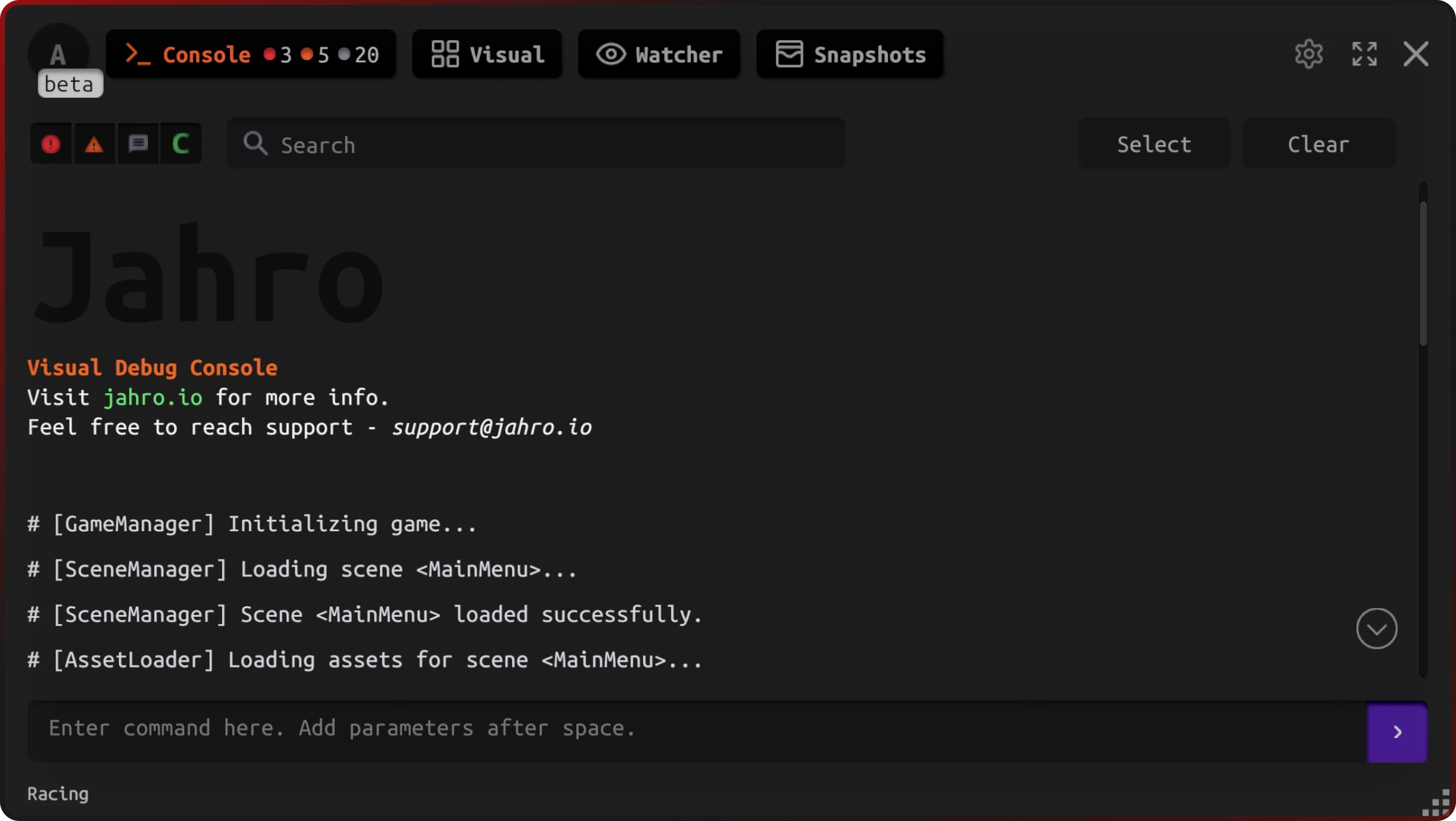
Capture is event-time work: the proof has to exist when the bug happens, not when someone opens Jira.
Stage 4 — Bug reporting
Reporting turns evidence into a tracker record. Most studios settle on Jira when workflows get heavy, Linear when speed and keyboard-first matter, Notion or GitHub Issues when the team is small. Outsourced QA usually files into the same fields your internal people use.
A usable Unity mobile template looks like this:
Title: [Platform] [Area] Short description

Summary: One sentence.

Steps to reproduce:
  1.
  2.
  3.

Expected:
Actual:

Reproducibility: Always | Often (>50%) | Sometimes | Rarely | Once

Severity: Blocker | Critical | Major | Minor | Trivial
Priority: Urgent | High | Normal | Low

Platform / OS:
Device:
Build:
Game area / save context:

Logs: [link or excerpt — see session link field if using Jahro]

Attachments: screenshot / recording
Severity language common in game QA maps roughly to: Blocker — cannot start or reach core loop; Critical — core systems broken (save, IAP, main mechanic); Major — important broken with workaround; Minor — visible issues with limited gameplay impact; Trivial — cosmetic or typo-level.
Instead of fragile log pastes, more teams attach one link to the full session so half the stack trace does not vanish in Slack.
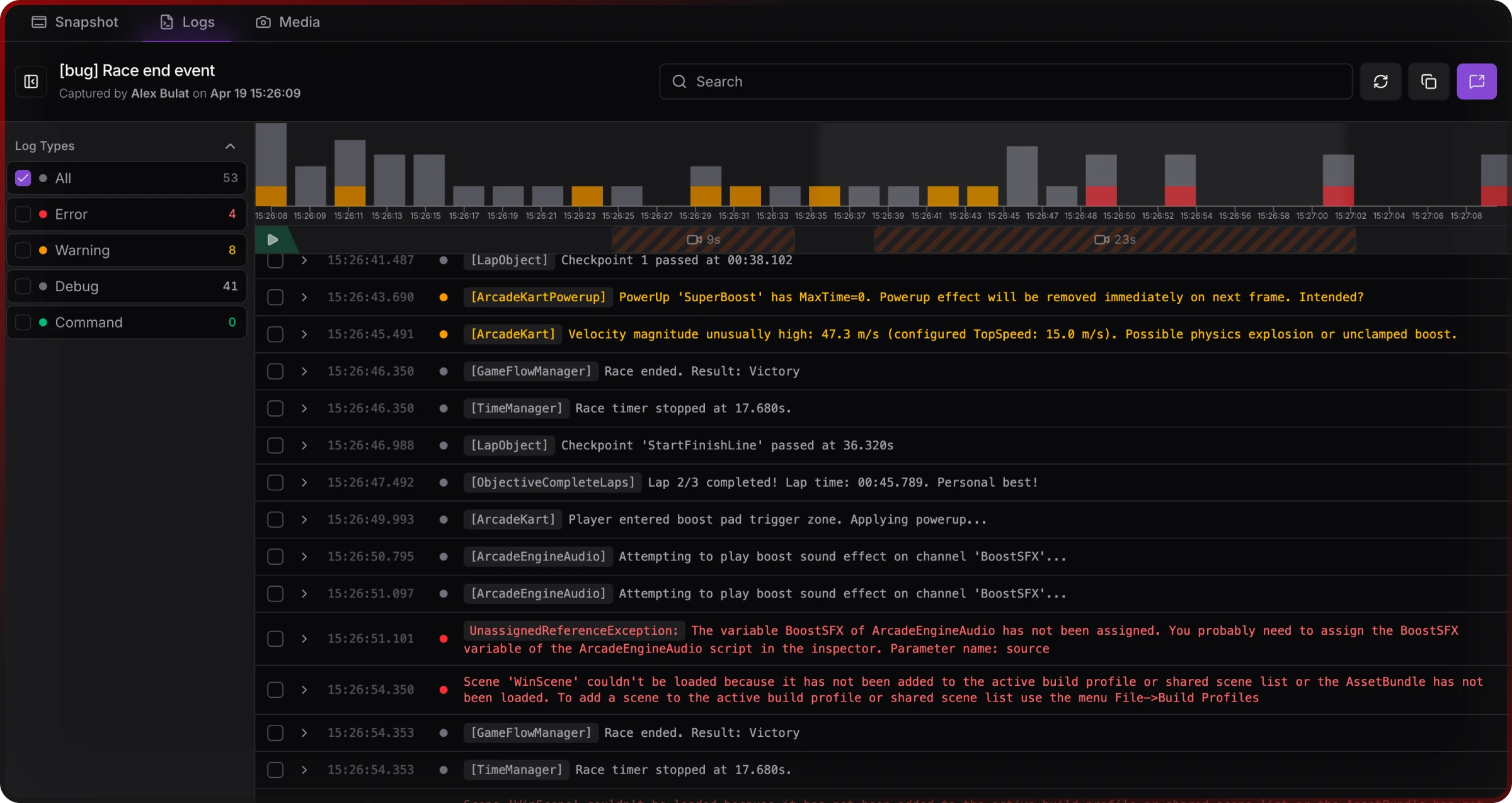
For a longer breakdown of fields and tracker habits, see Unity QA bug reporting for mobile games.
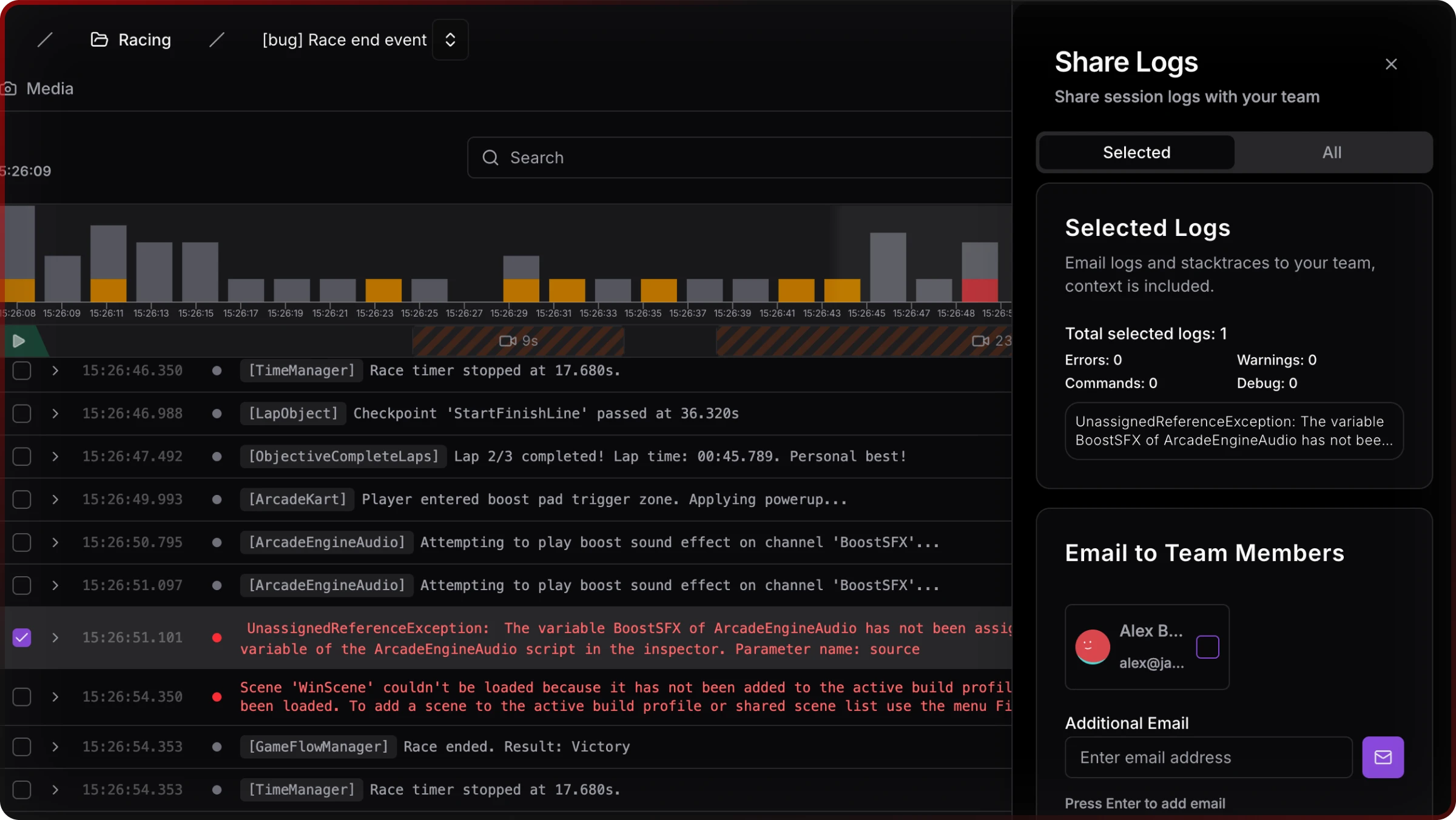
The ticket is the contract; attachments are how you stop arguing about what actually happened.
Stage 5 — Bug triage
Triage is a scheduled review: is the report real, is severity right, who owns it, ship this cycle or defer. The usual meltdown is cannot reproduce — dev tries in-editor or another device, fails, bounces the ticket, repeat until the bug ships. Most of the time it is wrong device, heavy state, no logs, or steps reconstructed from memory — not lazy QA.
SRDebugger and Lunar Console are strong for on-device dev iteration; they are not really built as collaboration hubs. Jahro leans toward shared review: snapshots and remote logs so engineering can read time-ordered output and session metadata without borrowing the tester’s phone. That does not replace a written repro; it shrinks the gap between “works on my machine” and “works on the class of device in the ticket.”
For a focused write-up on the repro loop, see When you can’t reproduce a Unity bug. Android log alternatives are covered in How to view Unity logs on Android without ADB; iOS in iOS logs without Xcode.
Triage goes as fast as the information in the ticket, not how many meetings you hold.
Stage 6 — Fix verification and sign-off
A fix is not done when code merges; it is done when QA re-validates on a representative device and regression shows adjacent areas still work. The developer should record build containing the fix in the ticket; QA should retest on the same tier that originally failed, not only on the fastest phone in the lab.
Regression strategy: add a case for every bug that escaped or nearly escaped; keep smoke on every build and full regression on release candidates. Unity Test Framework in CI is the long-term backbone; manual passes remain where automation does not reach gameplay feel.
Release sign-off should be explicit: blockers and criticals closed, majors either fixed or accepted with product sign-off, checklist complete, then promotion QA → staging → production or store submission.
Verification is what stops the same bug from coming back as a new ticket next month.
Mobile-specific challenges (vs PC and console)
On Android, device fragmentation is still the obvious pain: OEM skins, GPU drivers, RAM pressure, and thermals diverge even when the OS version matches. For online modes, network variance matters — run 3G-class latency, packet loss, drops, and offline. Battery and thermal passes catch throttling that shows up after twenty minutes, not in a two-minute smoke. Interruptions (calls, notifications, backgrounding) are failure modes you basically do not get on a tower PC in the office.
No device in hand is the gap PC and console do not mirror as often: the repro lives on a phone in another building or country. That is why async, link-based evidence matters no matter which product you use.
Mobile QA is environmental QA: the bug is often hardware + OS + network + session state, not a single line of C#.
Typical tooling layers (what stacks with what)
| Layer | Common options | Role |
|---|---|---|
| Tracker | Jira, Linear, Notion, GitHub Issues | System of record |
| Test cases | TestRail, Zephyr, sheets | Repeatability at scale |
| Builds | TestFlight, Firebase App Distribution, Play internal | Known artifacts |
| Logs / sessions | ADB, Xcode, in-editor Logcat, remote capture tools | Evidence |
| Crashes (live) | Firebase Crashlytics, Bugsnag | Production signal |
| Automation | UTF, Appium, game-specific drivers | CI and repeatability |
| Comms | Slack, Loom | Async clarification |
Jahro sits in log/session capture and team review. It does not replace Jira or Crashlytics; it is a bridge between QA’s device and engineering’s desk.
Where Jahro fits in the six-stage model
| Stage | Jahro feature area | Practical value |
|---|---|---|
| Environment | In-game console configuration | Lower barrier than expecting every tester to use ADB or Xcode |
| Capture | Snapshots, streaming, remote viewer | Time-ordered logs and context at the moment of failure |
| Reporting | Web dashboard, share links | Ticket gets a link, not a fragile paste |
| Triage | Web log review, session history | Inspect without possessing the device |
| Verification | Commands (where you expose them) | Reach states faster for retest |
Treat Jahro as optional: it pays off when handoff quality is the bottleneck, not when the only problem is “I cannot see the console on my devkit.”
Outsourced QA and AI-assisted coverage
Partners often ramp four to eight weeks before a milestone, run plans you still own, and file into your tracker. Names like GlobalStep, QA Madness, QATestLab, and Testlio show up in roundups; which one fits depends on budget, timezone overlap, and whether you need cert help. AI-assisted playtesting (modl.ai publishes a lot on this) can widen crash and edge coverage; it does not tell you if the game is fun — treat it as extra signal. Outsourcing scales how many runs you get, not how good your bar is: garbage-in capture still ends in cannot reproduce.
Raw volume without a clear evidence standard just swaps one failure mode for another.
FAQ
How do I set up a QA process for a small Unity team?
Pick a minimum device matrix and one distribution path for builds so nobody guesses which APK they have. Use a bug template with build, device, OS, and a required field for logs or a session link. Run smoke on every candidate build and add regression cases for anything that slipped through. Keep the stack dumb enough that part-time QA can run it without an engineering escort.
What tools do game studios use for QA?
At scale you still see Jira most often; Linear where the whole team wants a fast board. TestRail (or similar) appears when spreadsheets stop scaling. TestFlight and Firebase App Distribution ship builds to humans. Crashlytics and Bugsnag watch live crashes; ADB, Xcode, and in-game tools handle pre-release. CI runs Unity Test Framework where automation earns its keep. Slack and Loom carry the async “here is what I saw” layer.
How do QA testers report bugs in Unity mobile games?
Numbered steps, expected vs actual, build and device identity, severity, and evidence — screenshots or a short clip plus logs. The usual hole is log access on the device; fix that with process and tooling instead of longer Slack threads.
What is the difference between mobile game QA and PC or console QA?
Fragmentation, flaky networks, thermal and battery limits, and the fact that QA and dev often do not share the same physical box. The tax is incomplete repro data, not simply “we own more phones.”
How do you build a device testing matrix for a mobile game?
Start from minimum spec and what you actually promise on OS support, then pick flagship, mid, and low representatives per platform, plus the oldest OS you claim. Rent cloud device time when the shelf is too small.
What is shift-left testing in game development?
You move quality work earlier: testable requirements, shared visibility, cheaper bugs before the branch is frozen. Leadership likes the cost curve slide; day to day it is cross-functional tickets and definitions of done that mention evidence, not vibes.
How do you handle the cannot reproduce problem in mobile game QA?
Grab state and logs at failure time, standardize how devices get reported, and give devs a review surface that does not require holding the tester’s phone. Tooling plus clear written steps; one without the other still wastes everyone’s afternoon.
Further reading on Jahro
If you are comparing vendors or building a business case to standardize debugging across titles, Standardize Unity debugging across projects walks through what CTOs and QA leads actually weigh. Dev–QA collaboration, Unity snapshots, and Jahro vs ADB logcat add product context next to this workflow.