Visual Mode
Visual Mode lets you run commands without remembering names or syntax — browse by group, click to execute, and fill any parameters through a form.
Your commands appear as cards, organized into groups. Click a card to run it. If the command needs parameters, a modal opens with one input per parameter type — no need to type names or remember argument order.
To open Visual Mode, open the Jahro console and select the Visual tab.
Running a command
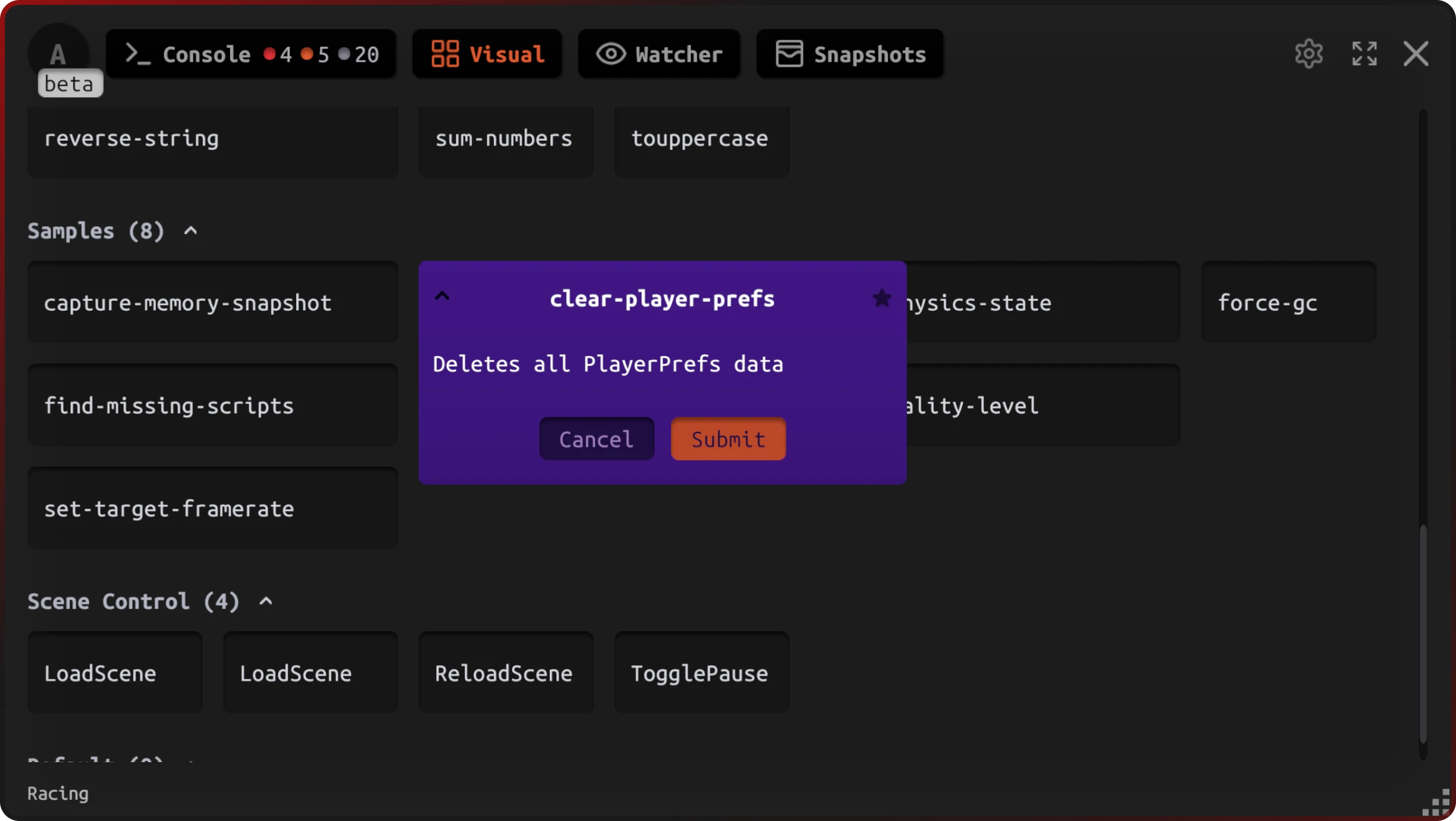
- Find the command in the list — use groups or scroll.
- Click the command card.
- If the command has parameters, complete the modal (see below) and confirm.
- It runs.
Parameter input
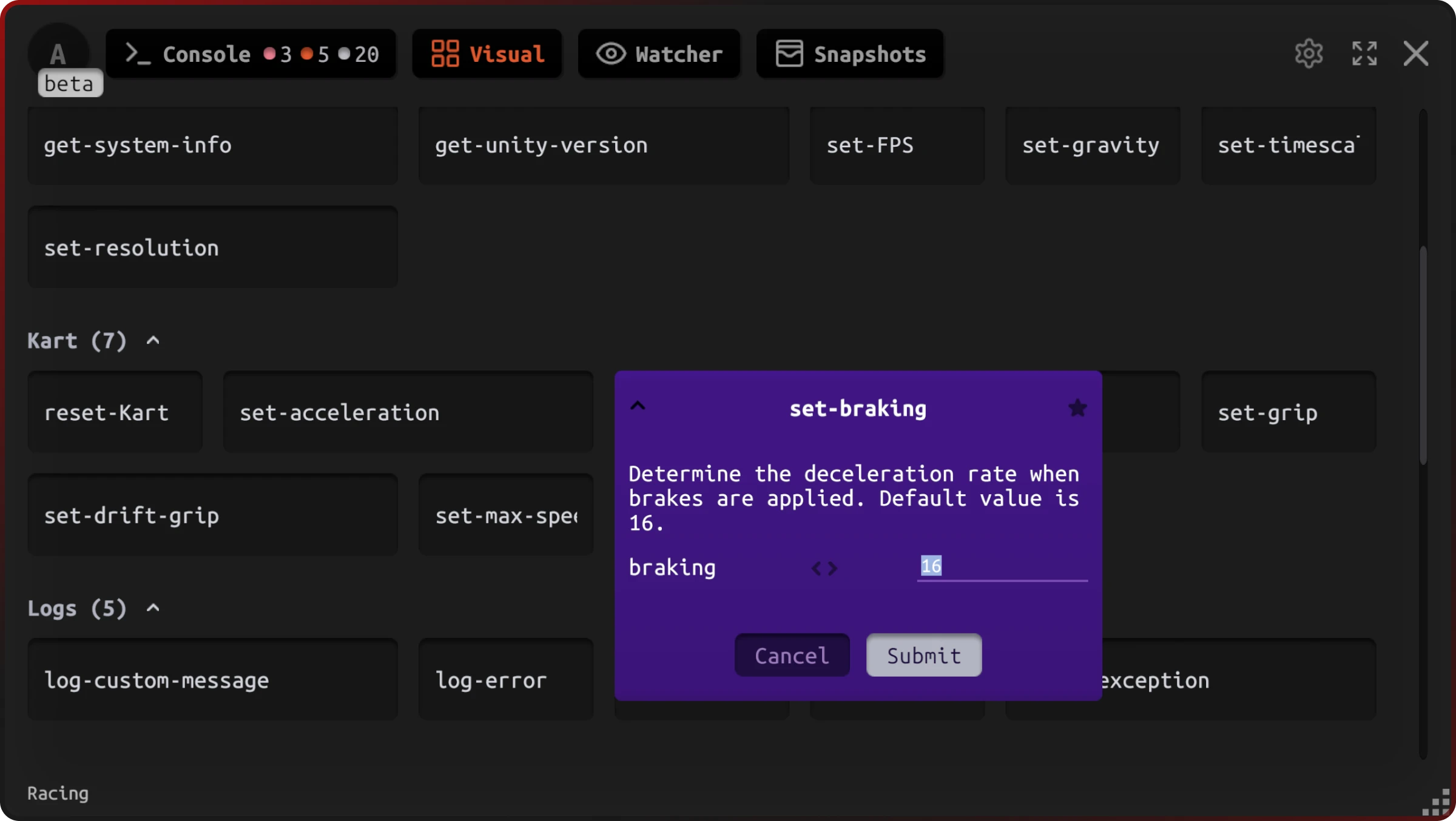
When a command needs parameters, a modal opens with one input per parameter. Each input is type-specific:
| Type | Input control |
|---|---|
| String | Text field |
| Integer | Number field with validation |
| Float | Decimal field |
| Boolean | Toggle |
| Vector2 | X/Y fields |
| Vector3 | X/Y/Z fields |
| Enum | Dropdown |
The last value you entered for each parameter is pre-filled next time. Invalid input is rejected before the command runs.
Command groups
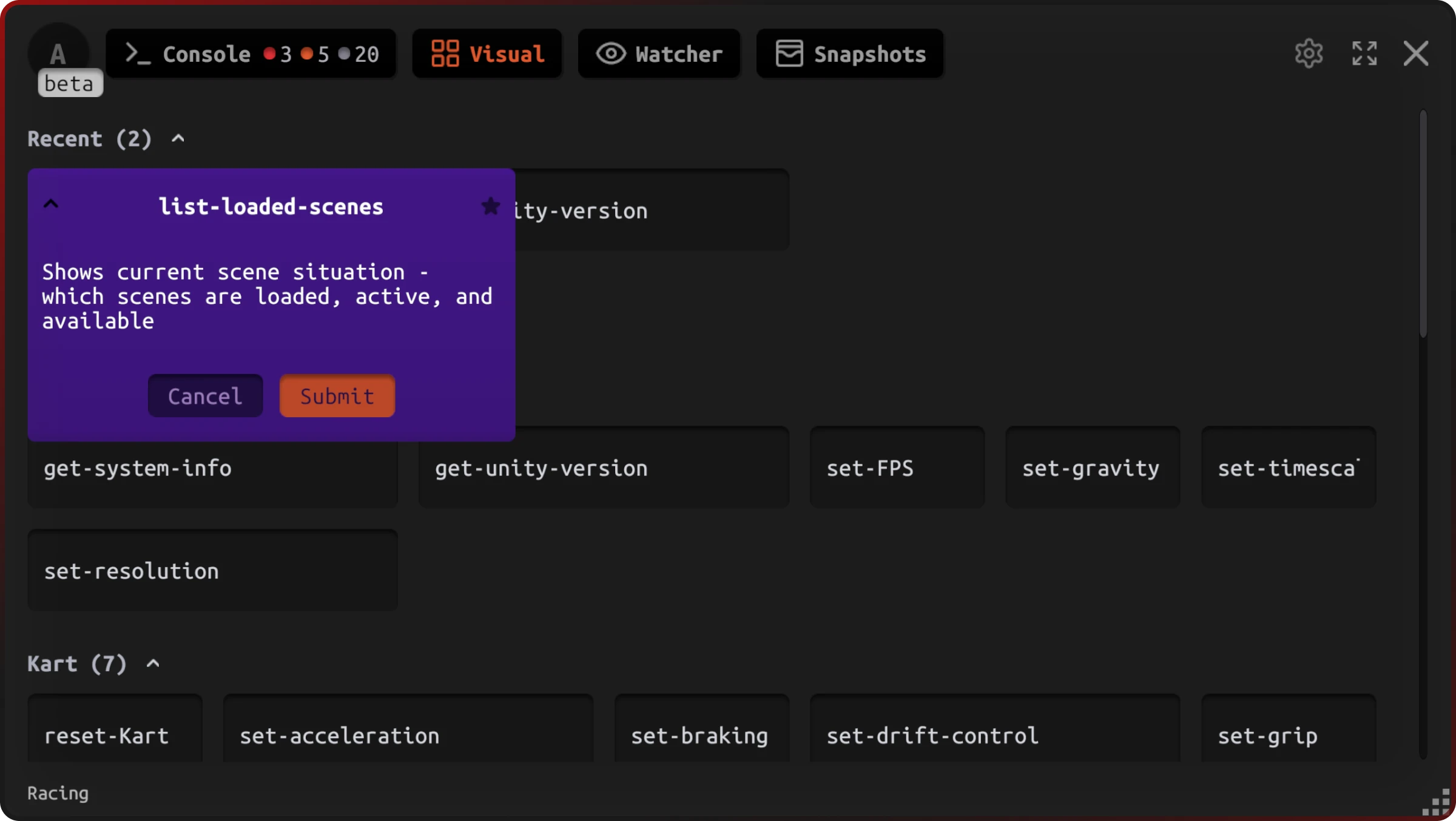
Commands are organized into groups based on their JahroCommand attribute. Groups appear in this fixed order:
- Recent — your last 10 executed commands, ordered by execution time
- Favorites — commands you've starred
- Custom groups — alphabetical, by the group name defined in the attribute
- Default — commands with no group assigned
Each card shows the command name, description (from the JahroCommand attribute), and a marker if parameters are required.
Favorites
Click the star icon on any card to add it to Favorites. Stars persist across sessions. Use Favorites for commands you run frequently — they always stay near the top of the list, above custom groups.
Gotchas
- Recent caps at 10 entries. Once you've run 10 different commands, older ones fall off. Star any command you need reliable access to.
- Group ordering is fixed. Recent and Favorites always appear first; you can't reorder custom groups manually — they sort alphabetically by group name.